An Online Medicine Delivery App allows customers to search for medicines, check product information, upload prescriptions when required, place orders, make payments, and monitor delivery status from a smartphone. For pharmacies and healthcare businesses, such applications can connect customers with pharmacy inventory and delivery operations through one digital platform.
Building a medicine delivery solution requires more than creating a shopping interface. Businesses need to plan pharmacy workflows, prescription handling, inventory, payments, delivery operations, security, and regulatory requirements before development begins.
A successful Online Medicine Delivery App should therefore combine a simple customer experience with reliable backend systems, secure APIs, pharmacy management tools, and scalable infrastructure.
An Online Medicine Delivery App is a mobile or web-based platform that enables users to order medicines and related pharmacy products from participating pharmacies or a pharmacy-operated catalogue.
Depending on the business model, the platform can support:
Prescription medicines require additional controls. For example, the FDA advises consumers to use licensed online pharmacies and notes that legitimate prescription-medicine sales may require a prescription. Requirements vary between countries and markets, so the application workflow should be designed around the applicable local rules.
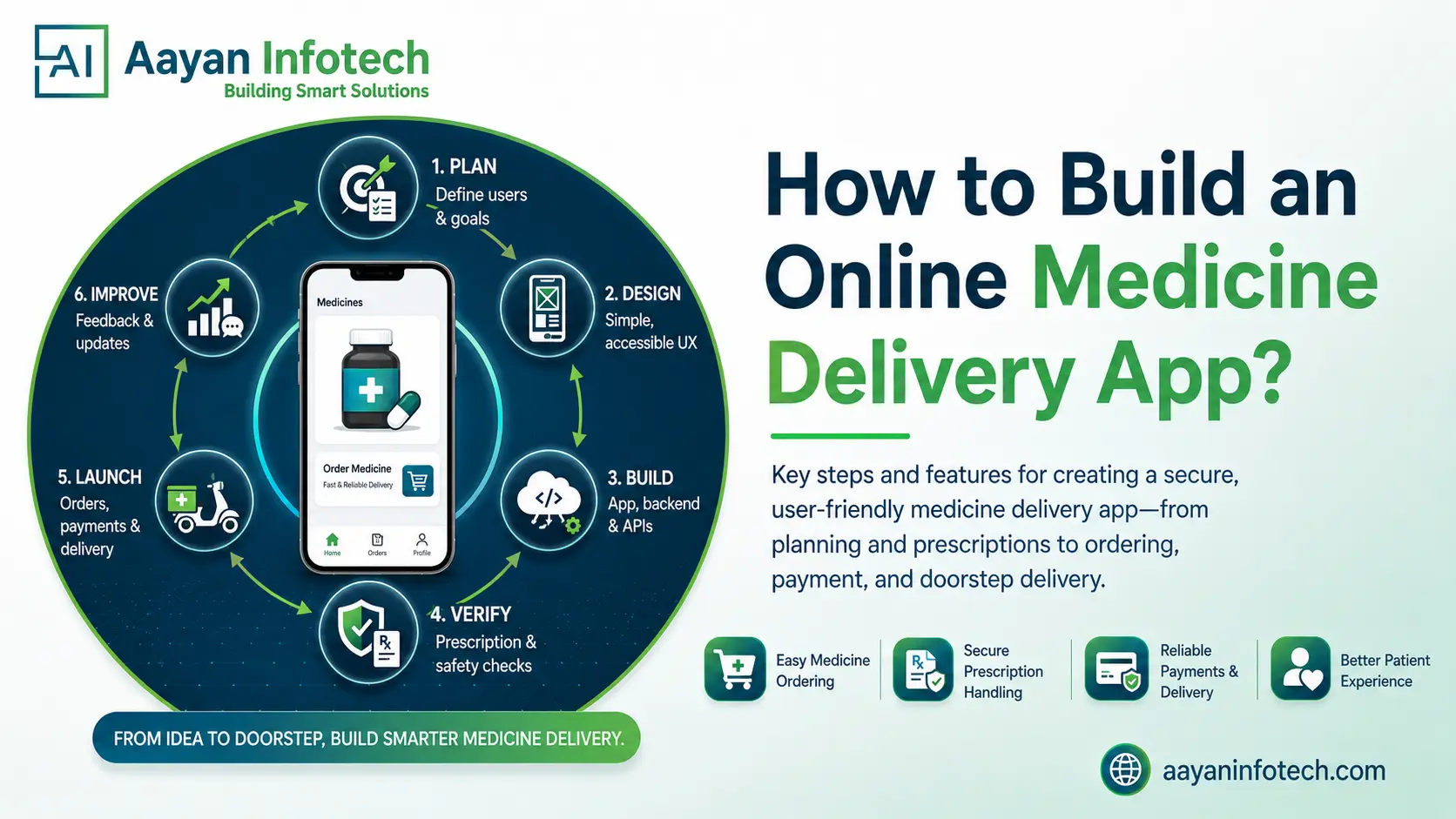
A typical medicine delivery workflow can be divided into these stages:
This workflow should remain flexible because prescription rules, pharmacy processes, payment methods, and delivery models differ between markets.
The business model influences almost every technical decision. Common options include:
Before development, define who owns inventory, who verifies prescriptions, who processes payments, and who handles delivery. These decisions determine the required dashboards, APIs, database structure, and order-management logic.
A medicine delivery platform normally involves several user groups:
Each group has different requirements. Customers need a simple ordering experience, pharmacies need catalogue and prescription workflows, delivery partners need assignment and navigation tools, and administrators need platform-wide monitoring.
The first release should focus on essential functionality rather than attempting to include every advanced feature.
An MVP can prioritise:
Advanced AI, analytics, subscriptions, voice search, and automation can be introduced after the core workflow has been validated.
Healthcare applications should make important information easy to understand.
The interface should provide:
The prescription process deserves particular attention. Users should know what file types are accepted, whether additional information is required, and what happens after submission.
The technology stack should depend on the expected scale, team expertise, target platforms, integrations, and security requirements.
A typical architecture may include:
Aayan Infotech currently lists mobile app development, custom software development, cloud computing, AI/ML, and related engineering capabilities among its services.
Development normally begins with the frontend and backend architecture.
The backend can manage:
APIs connect these services with the customer app, pharmacy panel, delivery application, and third-party systems.
A modular architecture makes it easier to modify individual components as the platform grows.
An Online Medicine Delivery App may require integrations for:
The exact integrations depend on the business model and target market. Healthcare data standards or external systems should only be introduced when they are relevant to the application’s actual workflow.
Medicine delivery platforms may process personal information, prescriptions, payment information, and other sensitive data. Security should therefore be incorporated throughout development rather than added only before launch.
Important controls include:
OWASP specifically highlights API risks such as broken authentication, authorization failures, security misconfiguration, and unsafe API consumption. These areas should be included in API design and security testing.
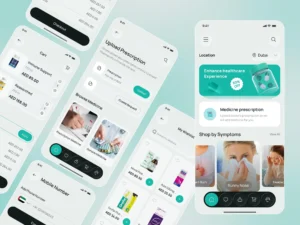
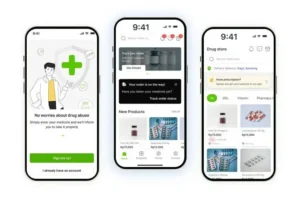
The customer-facing application can include:
A pharmacy dashboard can provide:
The delivery application can include:
Administrators may require:
Advanced functionality should solve a genuine operational or customer problem.
Useful options include:
AI should not independently make clinical decisions or provide medical advice without appropriate validation, safeguards, and qualified oversight.
| Technology Layer | Purpose |
| Mobile App | Customer and delivery experience |
| Backend | Business logic and APIs |
| Database | Users, medicines, orders, and inventory |
| Cloud | Infrastructure and scalability |
| Maps | Location and delivery tracking |
| Payment Gateway | Secure transactions |
| Notification Services | Order and delivery updates |
| Analytics | Business and user insights |
The exact technologies should be selected after requirements analysis rather than choosing a stack simply because it is popular.
Security and compliance should be planned according to the country and business model.
Key considerations include:
There is no single global healthcare regulation that automatically applies to every medicine delivery platform. Businesses should obtain appropriate legal and regulatory guidance for each target market.
Testing should cover the complete customer-to-delivery journey.
Important testing areas include:
For example, QA teams should test what happens when a prescription upload fails, a medicine becomes unavailable after checkout, a payment is interrupted, GPS information becomes unavailable, or a delivery status does not update.
Incorrect prescription workflows can create operational and compliance problems.
Solution: Build configurable verification workflows and restrict prescription access to authorised users.
Inventory can change between product browsing and checkout.
> Implementation: Use inventory synchronisation and validate stock again during order processing.
Orders may involve different pharmacies, delivery zones, and delivery partners.
Strategy: Use structured order states, location services, assignment rules, and delivery monitoring.
The application may handle sensitive customer and prescription information.
Security Measures: Apply encryption, access controls, secure APIs, logging, and regular security testing.
Requirements vary by jurisdiction.
> Key Consideration: Identify applicable pharmacy, healthcare, privacy, payment, and consumer-protection requirements before launch.
Payment, maps, notification, and inventory services can fail or change.
Recommended Practice: Build clear API boundaries, error handling, monitoring, retries, and fallback workflows.
Growing order volumes can put pressure on databases, APIs, notifications, and delivery systems.
Technical Solution: Design the platform with modular services, monitoring, caching, cloud scaling, and database optimisation.
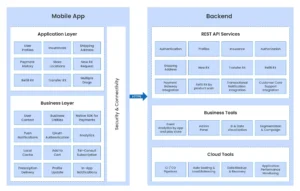
Scalability should be considered from the architecture stage.
A scalable medicine delivery platform can use:
The goal is to make future expansion possible without rebuilding the complete application.
Creating an Online Medicine Delivery App requires careful planning across product design, pharmacy operations, technology, security, and compliance. The most important starting point is a clear business model and a focused MVP that solves the core ordering and fulfilment workflow.
As the platform grows, businesses can add advanced capabilities such as AI-assisted search, inventory forecasting, delivery optimisation, analytics, and multilingual experiences. The underlying architecture should be designed to support these additions without compromising security or usability.
For businesses planning Medicine Delivery App Development, the right development approach combines a user-friendly experience with dependable pharmacy workflows, secure data handling, scalable infrastructure, and market-specific compliance requirements.
Aayan Infotech provides custom mobile apps, software, cloud, AI/ML, and related development services. Its published service information describes a development process covering planning, design and development, testing, deployment, and ongoing support.
For a healthcare-focused application, the development approach can be structured around:
Aayan Infotech also publicly lists healthcare and wellness among the industries it serves.