In the contemporary busy digital world, calendar applications have become the cornerstone to productivity, scheduling, and management of resources. In-app calendars have become vital tools to businesses, especially in the industries where businesses do their booking, scheduling appointments, and overseeing and managing their workflow.
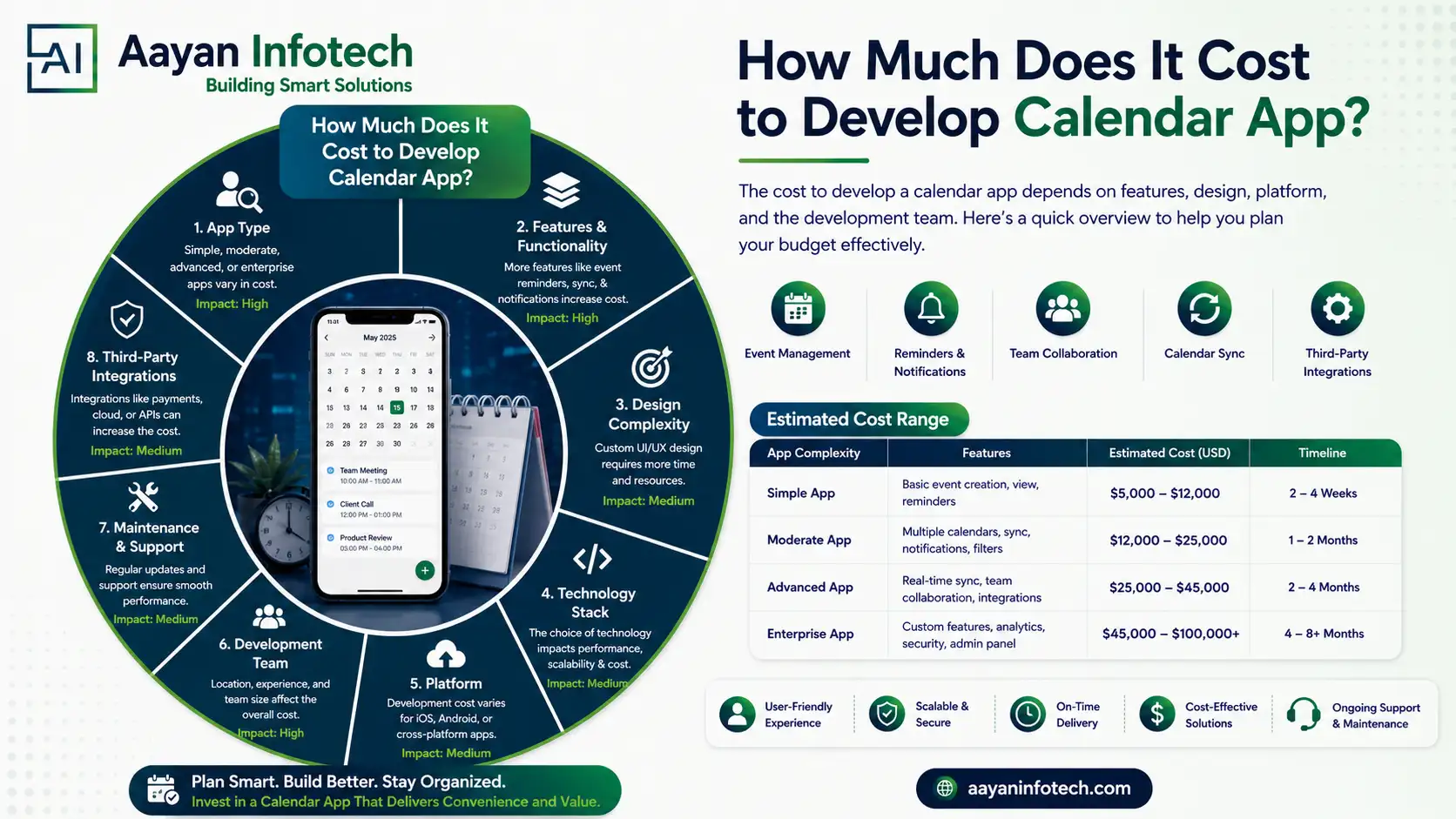
Assuming you have an idea to build an app Calendar App, the question of the first place that would arise is: what would be the cost of building a calendar app?
The solution would be based on various aspects like features, platforms, integrations, API, complexity of the UI/ UX, and scalability. This guide decomposes the price of the calendar app, the technology stack, and important points to consider in order to budget properly.
Logistics
The logistics companies relied on calendar applications to track deliveries and schedule fleets, driver availability, and also track shipments. The benefit of real-time calendar integration is efficiency in business and time wastage.
Education
Schools, Universities and e-technology tools have calendar applications that help with class schedules, exams, assignment schedules and faculty coordination.
Parking and Transportation
Parking applications and transport systems incorporate booking slot calendars, schedules of the trip, car availability, and time based pricing.
Healthcare
The healthcare applications depend on in-app calendars to make doctor appointments, patient scheduling, surgery planning, and follow-ups, and reliability and data security are of primary importance.
Streaming Applications
Streaming services plan schedules through calendars to release content, live shows, premieres, and reminder regarding subscriptions.
Travel and Hospitality
Hotels, airlines and travel applications will use reservation, check-in, itinerary and seasonal pricing calendars.
Social Media Platforms
The content scheduling, campaign planning, and analytics tracking of social media and creator tools are done via calendar apps.
Choosing the right tech stack directly impacts performance, scalability, and the cost to develop an app Calendar App.
APIs play a vital role in syncing events, reminders, and cross-platform data.
Ideal for iOS apps, EventKit allows seamless access to device calendars, reminders, and events.
One of the most popular choices for Android and web apps, enabling real-time event creation, updates, and sync.
| App Type | Development Timeline |
| Simple | 3 to 6 months |
| Medium Complex | 9 to 10 months |
| Highly Complex | 12 + months |
Offers unified access to Google, Outlook, and iCloud calendars with advanced scheduling features.
Best suited for booking-based calendar systems like appointments and reservations.
Used primarily in finance apps for tracking trading days and holidays.
Provides global holiday and event data for region-specific scheduling.
Using ready-made libraries reduces development time and lowers the calendar app development cost.
| Region | Hourly Rates of Development |
| UAE | $25 |
| USA | $25 |
| Western Europe | $25 |
| Australia | $25 |
| Eastern Europe | $25 |
| Asia | $25 |
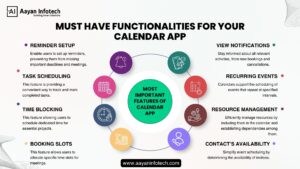
Reminder Setup: Custom reminders via push notifications, email, or SMS.
Task Scheduling: Create, edit, and prioritize tasks with deadlines.
Time Blocking: Allocate specific time slots for focused work or activities.
Booking Slots: Enable appointment booking with real-time availability.
View Notifications: Instant alerts for schedule changes or upcoming events.
Recurring Events: Daily, weekly, monthly, or custom recurrence rules.
Resource Management: Manage rooms, equipment, or staff availability.
Contacts’ Availability: View shared calendars and check availability before scheduling.
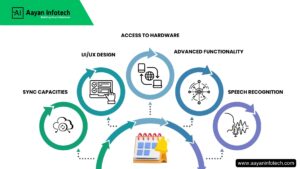
Multi-device and cross-platform synchronization is crucial for user retention.
A clean, intuitive interface significantly impacts user engagement.
Integration with device features like notifications, voice input, and location improves functionality.
AI-powered scheduling, smart suggestions, and analytics increase app value but also raise the calendar app develop price.
Voice-based event creation using AI assistants enhances accessibility.
| Development Stage | Cost Range (in USD) |
| UI/UX Design | $1,000 – $3,000 |
| Frontend Development | Depends upon business days |
| Backend Development | Depends upon business days |
| QA & Testing | Depends upon business days |
| Third-Party Integrations | Depends on the API |
| Maintenance & Updates | $350 for month & 15& of total project amount for year |
The idea of creating a calendar application is a high-value addition to companies intending to condense the process of timekeeping and productivity. Let’s say you want to create an app Calendar App in healthcare, logistics, education, or SaaS, it is useful to have an idea of the technology stack, APIs, features, and cost drivers to be sure that you come up with an efficient plan.
An efficient calendar application is likely to enhance efficiency and produce ROI in the long term as long as the application is planned with scalability and user experience as a priority. Contact Aayan Infotech today at +91 7007120194 or email us at info@aayaninfotech.com.
Healthcare, education, logistics, travel, social media, streaming, and transportation industries gain the most value from calendar apps.
Focus on clean UI/UX, intuitive navigation, color-coded events, and responsive design across devices.
Reminders, recurring events, booking slots, notifications, sync, and resource management are essential.
Google Calendar API, Apple EventKit, Firebase, and modern frontend frameworks are commonly used.